
The most common objection to zero trust network access is not a technical argument. It is an organizational one: “Our users will revolt.” Security teams hear it from IT leadership, from line-of-business owners, and from employees who have spent years relying on VPN access that, whatever its security limitations, more or less works.
The objection has some basis. Poorly implemented ZTNA does create friction. Applications that previously loaded in seconds behind a VPN can fail entirely when access policies are misconfigured. IT help desks can see ticket volumes spike during rollout. Executives who get blocked from a board presentation have a particular ability to escalate.
But the objection is solvable. The organizations that implement zero trust network successfully (without derailing productivity) follow a disciplined approach that prioritizes user experience alongside security. This guide covers exactly how to implement zero trust network access in a way that security teams can sell internally, and users can actually live with.
What ZTNA Actually Replaces (and What It Does Not)
Zero trust network access (ZTNA) replaces the VPN model of granting broad network access. When a user connects via VPN, they are placed on the corporate network and from there, can potentially access any resource on that network, whether or not their role requires it. VPN grants network-level trust. ZTNA grants application-level access.
Under ZTNA, a user authenticating to access a CRM application receives exactly that: Access to the CRM application. They are not placed on the network. Other resources on the network are invisible to them. If their device is compromised, the attacker who steals their credentials can access CRM and only the CRM and not the adjacent financial systems, not engineering infrastructure, not HR records.
ZTNA does not replace:
- Identity providers or MFA: These are prerequisites for ZTNA, not alternatives to it
- Endpoint management: Device compliance remains a factor in access decisions
- Network segmentation: ZTNA addresses external access; network segmentation addresses internal lateral movement
Why ZTNA Implementations Stall
Most ZTNA rollouts that create user problems do so for three predictable reasons:
(1) No application inventory before deployment
Organizations deploy ZTNA solutions and then discover they do not have a complete map of what users’ access, from where, and on what devices. Policies are built reactively. Users encounter access failures for applications nobody anticipated they would need. Help desk volumes climb.
(2) Big-bang migration instead of incremental rollout
Moving all users off VPN simultaneously maximizes disruption. Every misconfigured policy affects everyone at once. Piloting ZTNA with a non-critical application and a small user group first allows problems to be identified and resolved before the organization-wide rollout.
(3) Security-first policy design without usability review
Security teams writing policies without input from application owners or end users routinely misconfigure access rules. The application owner knows that finance staff access the ERP system from mobile devices on Saturday mornings. The security team writing policy on Monday assumes weekday office-hours access only.
Also Read: How to Implement Zero Trust Security: A Step-by-Step Guide (2026)
How to Implement Zero Trust Network Access: The Practical Sequence
This section explains how to implement Zero Trust Network Access by shifting from VPN-based access to more controlled, application-level access.
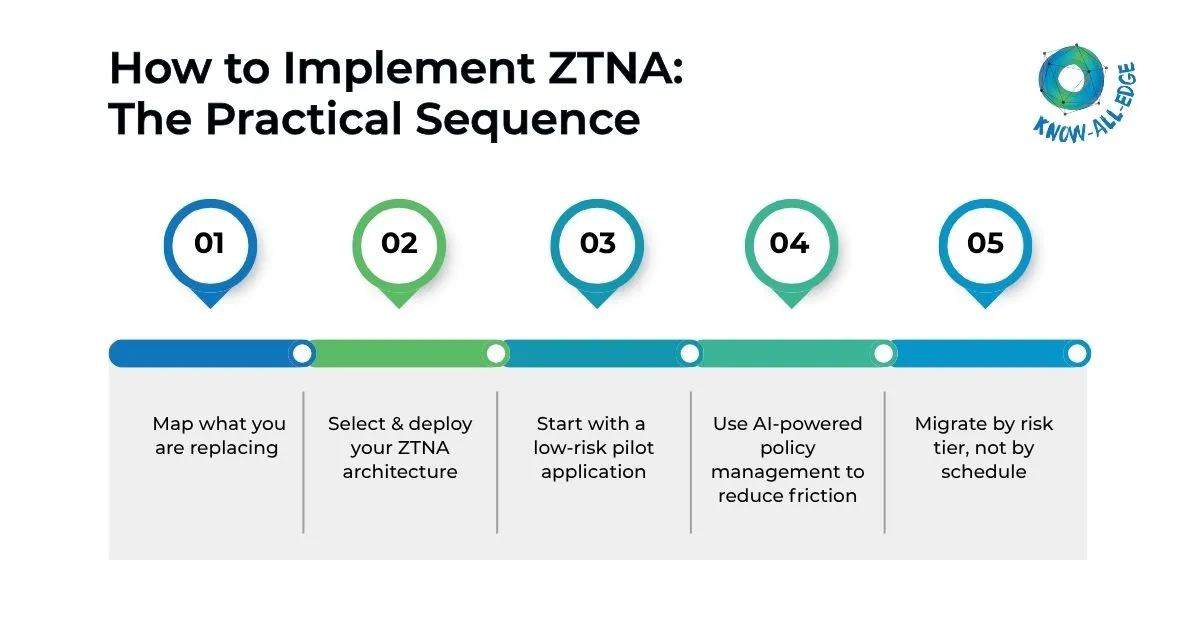
Phase 1: Map what you are replacing
Before configuring a single ZTNA policy, conduct an application access inventory:
- Which applications currently require VPN access?
- Who accesses each application — which roles, teams, and locations?
- What devices do they use — corporate-managed, personal, mobile?
- Are there scheduled or non-standard access patterns (after-hours, mobile, international travel)?
- Which applications are legacy and may have authentication compatibility constraints?
This inventory becomes the basis for every ZTNA policy you write. Without it, you are guessing at access patterns and will discover gaps through user complaints.
Phase 2: Select and deploy your ZTNA architecture
Two primary ZTNA architectures exist:
- Endpoint-initiated ZTNA: A client on the user’s device initiates the connection through the ZTNA broker. Stronger security posture checking, better for managed devices.
- Service-initiated ZTNA: A connector deployed near the application initiates the tunnel to the broker. No endpoint client required; better for BYOD scenarios and rapid application onboarding.
Most enterprise deployments use endpoint-initiated ZTNA for managed devices and service-initiated for third-party or BYOD access. Your choice should reflect your device management maturity from the identity and device stages.
Phase 3: Start with a low-risk pilot application
Select one application for the initial pilot — ideally one that is important enough to generate meaningful user feedback but not critical enough that failure disrupts business operations. Typical choices are internal wikis, HR self-service portals, or project management tools.
Run the pilot with a representative sample of users across different device types and locations. Measure:
- Application load time compared to VPN baseline
- Authentication friction — how many additional steps do users encounter?
- Help desk ticket volume during the pilot period
- User satisfaction through a brief survey
Fix problems identified in the pilot before expanding to more applications or more users.
Phase 4: Use AI-powered policy management to reduce friction
Modern ZTNA platforms incorporate machine learning to make dynamic access decisions that reduce user friction without reducing security. Rather than forcing additional authentication for every access attempt, AI analyzes contextual signals — device health, location, behavior patterns, time of access — and adjusts authentication requirements accordingly.
A user accessing their usual applications from their corporate laptop at the office during business hours encounters minimal friction. The same user attempting access from an unrecognized device at 2 a.m. from an unusual geography triggers step-up authentication. The security posture is consistent; the experience adapts to context.
This is the core answer to the productivity objection: AI-powered ZTNA is not more friction by default. It is proportional friction — more verification when risk is higher, less when it is lower.
Phase 5: Migrate by risk tier, not by schedule
After a successful pilot, migrate applications in risk-priority order:
- High-risk applications with broad access (ERP, financial systems, HR platforms) — migrate first, gain the largest security ROI
- Developer tooling and infrastructure access — replace SSH and RDP over VPN with ZTNA-brokered access
- Communication and productivity tools — typically already cloud-native with their own identity controls
- Legacy applications with authentication constraints — address last, as these require the most custom configuration
Do not set a fixed timeline for migrating all applications by a specific date. Migrate at a pace that allows proper configuration, testing, and user communication for each application.
Handling the Hard Cases
Some access scenarios don’t fit neatly into standard ZTNA models. This section covers how to handle those exceptions without weakening your security posture.
Legacy applications that cannot support modern authentication
Some legacy applications support only basic authentication or are incompatible with SAML and OIDC. Options include deploying an authentication proxy in front of the application, which handles modern authentication and translates it for the legacy app; implementing application-layer reverse proxies with pre-authentication; or, in some cases, accepting that the application must be replaced.
Third-party and partner access
Contractors and partners often present the most complex BYOD scenarios. Service-initiated ZTNA, browser-based access (no endpoint client required), and identity federation with partner identity providers address most cases. Never grant VPN access to third parties — the blast radius when a partner account is compromised is disproportionate to the access they need.
Privileged access and infrastructure
Privileged access to servers, network devices, and cloud infrastructure requires special handling. Privileged Access Management (PAM) integrated with ZTNA provides session recording, just-in-time access provisioning, and credential vaulting for administrative sessions. This replaces unrestricted RDP and SSH over VPN with controlled, logged, time-limited access.
Measuring ZTNA Success
Track these metrics to evaluate your zero trust network implementation:
- VPN session volume: Should decline as ZTNA coverage expands; target elimination for externally accessible applications
- Application access latency: ZTNA should be comparable to or faster than VPN for cloud-hosted applications
- Help desk tickets related to access: Should decrease after initial rollout as policies stabilize
- Percentage of applications behind ZTNA: The core coverage metric
- Mean time to revoke access: How quickly can you cut off a compromised user across all applications?
The productivity argument resolves when ZTNA is implemented correctly. Users who experience a well-configured ZTNA deployment (where they authenticate once and access their applications without noticing the security infrastructure behind the scenes) often prefer it to the VPN they used before. The goal is security that users do not have to think about.
Summary
So, how to implement zero trust network access without destroying productivity?
You need these three things:
- A complete application access inventory before deployment
- An incremental rollout that starts with pilots rather than organization-wide migration,
- A policy design that incorporates user access patterns from the beginning.
AI-powered contextual access decisions (proportional friction based on risk signals) address the usability objection that derails most ZTNA rollouts before they deliver security value.
Ready to move beyond VPN and implement zero trust network access the right way? We help you deploy ZTNA with minimal disruption and maximum control.
FAQs on ZTNA Implementation
What is the difference between ZTNA and a VPN?
VPN places users on the corporate network, granting broad access to any resource reachable from that network. ZTNA grants access to a specific application only — the user never touches the network. The practical difference for security is lateral movement containment: a compromised VPN credential exposes the entire network; a compromised ZTNA credential exposes only the one application the user was authenticated to access.
Read more: ZTNA vs VPN: Why Modern Enterprises Are Moving Beyond Traditional Remote Access
Does ZTNA slow down application access?
When properly configured, ZTNA should be comparable to or faster than VPN for cloud-hosted applications, since traffic routes directly to the application rather than backhauling through a corporate data center. Performance issues in ZTNA deployments almost always stem from misconfigured policies, suboptimal broker placement, or legacy applications that were not designed for internet-direct access not from the ZTNA model itself.
What is endpoint-initiated vs service-initiated ZTNA?
Endpoint-initiated ZTNA requires a client agent on the user’s device that initiates the connection through a ZTNA broker. It provides stronger device posture checking and is better suited to managed corporate devices. Service-initiated ZTNA uses a connector deployed near the application; no endpoint client is required. It is better for BYOD scenarios, third-party access, and rapid application onboarding where installing agents on every device is impractical.
How do you handle legacy applications that don’t support modern authentication in a ZTNA deployment?
Three options work for most legacy application scenarios: deploy an authentication proxy in front of the application that handles modern auth (SAML, OIDC) and translates it for the legacy app; implement a reverse proxy with pre-authentication at the application layer; or, for applications that are truly incompatible, accept that replacement is the long-term answer and treat VPN access as a temporary exception with enhanced monitoring. The worst option is leaving legacy applications outside the zero-trust perimeter indefinitely.
How does AI improve the user experience in ZTNA?
AI-powered ZTNA platforms analyze contextual signals: device health, location, access time, behavioral patterns to make dynamic authentication decisions. A user accessing familiar applications from their managed laptop during business hours encounters minimal friction. The same user attempting access from an unrecognized device at an unusual time triggers step-up authentication. The result is proportional friction: more verification when risk is higher, less when it is lower — rather than uniform friction for every access attempt.
How do you handle third-party and partner access in a ZTNA model?
Third-party access is best handled through service-initiated ZTNA (no endpoint agent required), browser-based application access, and identity federation with partner identity providers. The critical rule is to never grant third parties VPN access — the blast radius when a partner account is compromised is disproportionate to the access they actually need. ZTNA gives partners precisely the access their role requires and nothing else, with full session logging.